Hi
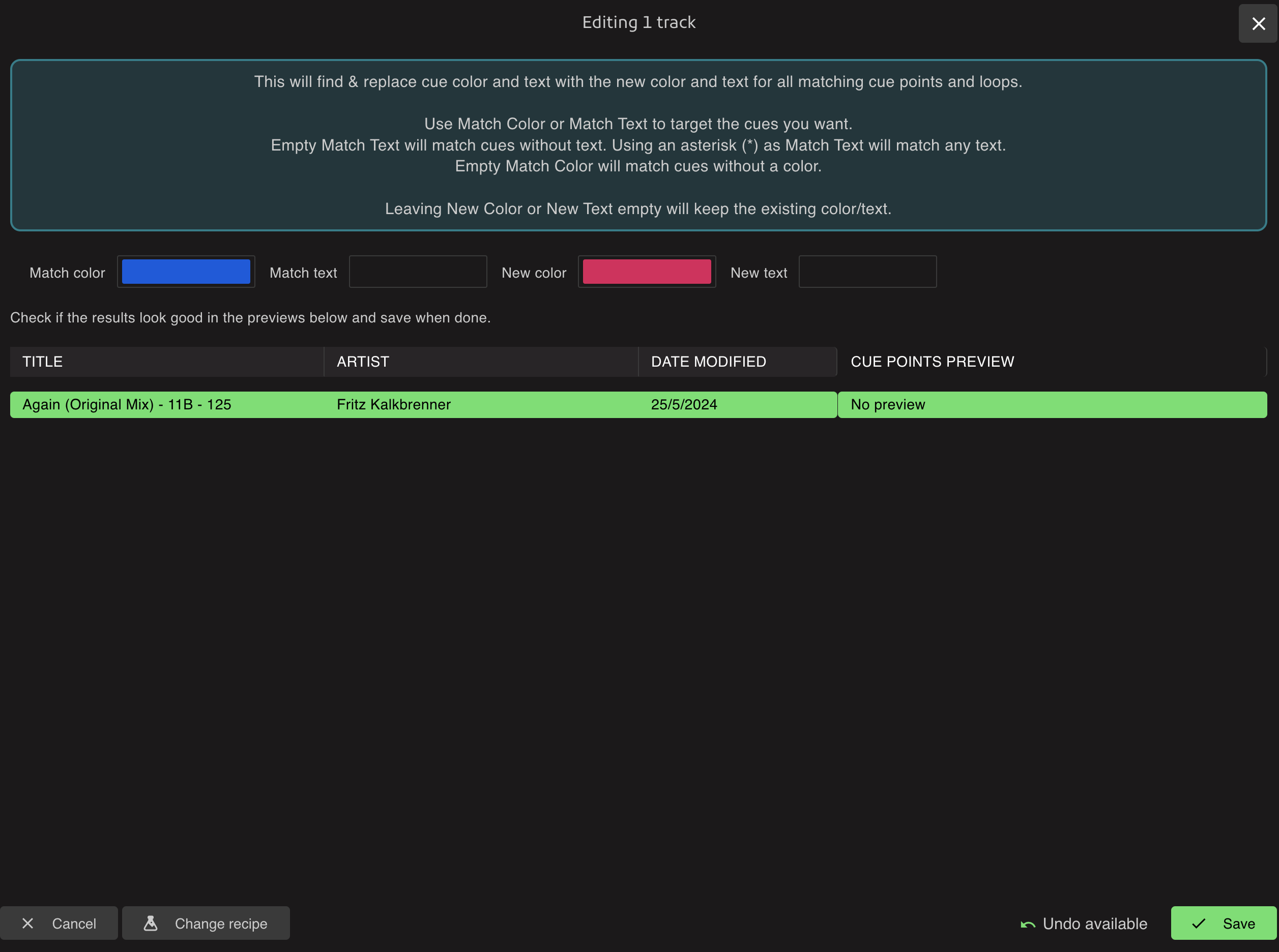
is it possible to change only the color of existing cue points with the cue generator?
(Don’t want create new cue’s)
I want to change all my Traktor blue cue’s into Serato cue color layout.
But please in batch mode- don’t want to edit every cue point per track by hand
Thanks for help
The Find & replace cue's recipe has a lot of flexibility to probably do what you want there. As long as there is something to target your cues, like a label or specific color you want to change
1 Like
Hmm ?
It does’t work- no preview and no changes after “save”
What I’m doing wrong?
In the setting menu are some cue color samples. Is it possible to create an own Sample for Serato Cue colors?
Then I could use the recipe “change cue colors” with one click- that would be perfect.
The problem with changing a cue point that was previously blue to a Serato color is that all cues in Traktor are blue. That means all 8 cues will be red, for example, but I want to have different colors for cue 1-8 and not ALL blue cues in red.
If I just want to change the color and keep the original cue text - how exactly do I do that?
The problem is that my cues all have different names
As I said, the perfect solution would be if you could create your own “Serato” preset cue with your own chosen colors in the settings menu.
You can use Change Cue Colors to set different new colors.
You can use the Find & Replace Cues to change blue to red or whatever. Your screenshot works just make sure to use an asterisk to match any text.
I would like to keep the existing text of the cues. If I enter * in both fields and only change the color it doesn’t accept the change. The color doesn’t change.
If I only enter * in the Match Text field and leave “new text” empty, it doesn’t change the color. If I leave both text fields empty and only change the color, it doesn’t change the color
I am a bit confused
It should work like this: asterisk in the source field to match any text. Source color to match a specific color.
Then the target fields are what changes you apply. A new color or new text or leave either empty to keep the existing text/color.
So I think you would want something like this:
Maybe you are using the wrong tint of blue for the source color?
The colors were selected correctly.
If I put * and enter new target text everything works. But: if I leave both text fields empty it would have to change the color or not? I would like to leave the cue text as it is.
I’ve got it- now it works
Thank’s
1 Like
I don’t want new text.
The text of the existing cue point should not be influenced! That is my concern. Is this also possible or do I have to enter something in the new text field?
Just leave the second text field empty, empty means it won’t change the text.
It’s explained in the tooltip in the recipe
1 Like