120 BPM Tracks in EngineDJ Despite Correctly Identified Sample Rate

Lexicon version: Current Beta
Operating system (remove one): Windows

Bug description:

I imported a bunch of mp3 tracks into lexicon from an engineDJ USB, then exported them all to another, fresh/empty USB. I ended up with the classic 120 bpm issue.

The track I was testing with is Delta Heavy - E-N-D (Original Mix).mp3

Let me pre-empt the inevitable question about sample rate in the source engineDJ file:

Is the sample rate correct in the track that was imported? Yes. 44.1khz is reported in the mp3 via mediaInfo Sampling rate : 44.1 kHz as well as the source engineDJ table. For EngineDJ I referenced Engine Library Format · mixxxdj/mixxx Wiki · GitHub and used a bit of python to decode the sample rate against m.db:

from PySide6.QtCore import QByteArray, qUncompress
import struct

SELECT * from Track WHERE filename like '%E-N-D%';

SELECT beatData from PerformanceData where trackId = 3090;


>>> input = bytes.fromhex('00000082789C7378DAD1C0C0C0C0E098F04207C460648000269DEF26878A16BF3DF0E73F04F830412440C2E91F121C3DA07C3440BA3E00EA5527E6')
>>> data = qUncompress(QByteArray(input))
>>> uncompressed_data = bytes(data)
>>>
>>> struct.unpack('>d', uncompressed_data[0:8])
(44100.0,)

As you can see the sample rate is correct in the source engineDJ. I haven’t looked at the output USB yet.

Step by step to reproduce:

Import a bunch of mp3s and export them from/to engineDJ on USBs. Lots will suddenly have 120 bpm in engineDJ. Even affects totally fresh USBs

Screenshot:

I’ll add later

Can you send me a few files that have this issue? You can upload with this link: http://upload.lexicondj.com

I sent the one file I was looking at in the example above, package ID 01KN3NTED6GPCNSDM42VRPGR3K. However I’m not sure if this is an issue similar to the Soundcloud track export that happens occasionally vs something consistent - I haven’t been using lexicon recently and I just tried it and found this track had an issue immediately. Hopefully its something that can consistently/easily repro

I sent the m.db as well, package ID 01KN3P30M9RRKH5V64DXGQ0CZQ - hopefully you can just import to lexicon a playlist with the single track, export to a fresh USB then see the issue in engineDJ desktop or the outputted m.db with the python script I used above. I gotta run but I’ll supply additional samples and investigation in a couple weeks

I added your track to Lexicon and synced it to Engine desktop:

In Lexicon:

I tried your m.db file on my Prime as well but no luck… I can’t find any reason why it would do that

Thanks for looking. I’m traveling at the moment but when I get back I’ll do some additional testing. It seemed to be a random subset of tracks that had this issue, I didn’t see any particular pattern in terms of which tracks were broken. I haven’t tried repeatedly importing or repeatedly exporting to see if its the same set of tracks every time. One thing to note is that the issue only happens when you try to load the track after exporting to a USB. The metadata has the right bpm initially but then when you load the track, suddenly bpm changes to 120.

btw the m.db I supplied was the one I imported, not the export from lexicon

I tried importing from the USB again then exporting again and it worked correctly this time (bpm was preserved unlike before). I suspect this is a bug that happens during lexicon’s import from engine DJ. I’m going to guess that it happens on a random subset of tracks much like the Soundcloud export bug that used to happen at EngineDj export and import sometimes misses beat grids and other data

So what I’ve tested:

  1. Import a USB with a ton of tracks from engineDJ
  2. Export to a new, fresh USB
  3. Observe that random tracks have 120 BPM
  4. Confirmed that the imported track had a correct sampling rate inside enginedj
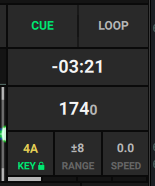
  5. Tried exporting the same track repeatedly from . Tried reloading tags on the track. Always consistently after exporting I get 120 BPM once I try to actually load the track (preview shows 174, but actually loading results in 120). This shows that it is 100% reproduceable once lexiconDJ ends up with the wrong data in its internal DB
  6. Tried importing then exporting again for a single track that was previously affected. No issue

Next I’ll try importing and exporting repeatedly and see what happens

I tried another 9 tracks that had previously had the 120 bpm issue. I can’t reproduce the issue anymore. It might just be a really rare issue on import…

This has affected a mixture of tracks that I have played a lot as well as tracks I haven’t played that much. I haven’t found any pattern yet

Tried this python script:

#!/usr/bin/env python3
import sqlite3
import zlib
import struct
import sys
from pathlib import Path
from tinytag import TinyTag

def get_db_sample_rate(db_path, track_id):
    """Extract sample rate from beatData in PerformanceData table."""
    assert db_path.exists(), f"Database file does not exist: {db_path}"
    assert isinstance(track_id, int), f"track_id must be int, got {type(track_id)}"
    assert track_id > 0, f"track_id must be positive, got {track_id}"
    
    conn = sqlite3.connect(db_path)
    cursor = conn.cursor()
    cursor.execute("SELECT beatData FROM PerformanceData WHERE trackId = ?", (track_id,))
    row = cursor.fetchone()
    conn.close()
    
    assert row is not None, f"No PerformanceData found for track_id {track_id}"
    assert row[0] is not None, f"beatData is NULL for track_id {track_id} (track not analyzed)"
    
    compressed = bytes(row[0])
    assert len(compressed) > 4, f"beatData too short for track_id {track_id}: {len(compressed)} bytes"
    
    # Skip 4-byte length prefix, decompress
    uncompressed = zlib.decompress(compressed[4:])
    assert len(uncompressed) >= 8, f"Uncompressed beatData too short for track_id {track_id}: {len(uncompressed)} bytes"
    
    # First 8 bytes is sample rate as big-endian double
    sample_rate = struct.unpack('>d', uncompressed[0:8])[0]
    assert sample_rate > 0, f"Invalid sample rate for track_id {track_id}: {sample_rate}"
    assert sample_rate < 1000000, f"Unrealistic sample rate for track_id {track_id}: {sample_rate}"
    
    return int(sample_rate)

def check_sample_rates(db_path):
    """Check all MP3 tracks for sample rate mismatches."""
    db_path = Path(db_path)
    assert db_path.exists(), f"Database file does not exist: {db_path}"
    assert db_path.is_file(), f"Path is not a file: {db_path}"
    
    base_dir = db_path.parent.parent
    assert base_dir.exists(), f"Database parent directory does not exist: {base_dir}"
    
    conn = sqlite3.connect(db_path)
    cursor = conn.cursor()
    
    # Get all MP3 tracks that have been analyzed and are available
    cursor.execute("""
        SELECT t.id, t.path, t.title, t.artist 
        FROM Track t
        JOIN PerformanceData p ON t.id = p.trackId
        WHERE t.fileType = 'mp3' 
        AND t.path IS NOT NULL
        AND p.beatData IS NOT NULL
        AND t.isAvailable = 1
    """)
    
    rows = cursor.fetchall()
    assert len(rows) > 0, "No MP3 tracks found in database"
    
    mismatches = []
    matches = 0
    missing_files = 0
    
    for track_id, path, title, artist in rows:
        assert isinstance(track_id, int), f"Invalid track_id type: {type(track_id)}"
        assert path, f"Empty path for track_id {track_id}"
        
        # Get actual file sample rate
        file_path = base_dir / path
        if not file_path.exists():
            missing_files += 1
            continue
        
        # Get DB sample rate
        db_sample_rate = get_db_sample_rate(db_path, track_id)
        
        tag = TinyTag.get(str(file_path))
        assert tag.samplerate is not None, f"No sample rate in file for track_id {track_id}: {file_path}"
        
        actual_sample_rate = int(tag.samplerate)
        assert actual_sample_rate > 0, f"Invalid sample rate in file for track_id {track_id}: {actual_sample_rate}"
        
        if db_sample_rate != actual_sample_rate:
            mismatches.append({
                'id': track_id,
                'title': title,
                'artist': artist,
                'path': path,
                'db_sample_rate': db_sample_rate,
                'actual_sample_rate': actual_sample_rate
            })
        else:
            matches += 1
    
    conn.close()
    return mismatches, matches, missing_files

if __name__ == '__main__':
    assert len(sys.argv) == 2, f"Usage: {sys.argv[0]} <database.db>"
    
    db_path = sys.argv[1]
    assert db_path, "Database path cannot be empty"
    
    mismatches, matches, missing_files = check_sample_rates(db_path)
    
    print(f"Matches: {matches}")
    print(f"Mismatches: {len(mismatches)}")
    print(f"Missing files: {missing_files}\n")
    
    if mismatches:
        for m in mismatches:
            print(f"  ID {m['id']}: {m['artist']} - {m['title']}")
            print(f"    DB: {m['db_sample_rate']} Hz, File: {m['actual_sample_rate']} Hz")
            print(f"    Path: {m['path']}\n")

But found that 100% of the tracks on the exported USB have correct sample rate. So lexicon is exporting correct sample rate info but something else is wrong

Let me know if you figure this out because I really don’t know either :confused:

These appear to be the affected tracks on my exported USB. Lexicon is exporting with beatData missing:

    SELECT 
        t.id,
        t.title,
        t.artist,
        t.bpm,
        t.bpmAnalyzed,
        t.isAnalyzed,
        t.filename,
        t.fileType,
        pd.trackId,
        pd.beatData
    FROM Track t
    WHERE pd.beatData IS NULL 
    LEFT JOIN PerformanceData pd ON t.id = pd.trackId
    ORDER BY t.id

My current theory is that this is an issue during import from engineDB where this data sometimes goes missing, then upon export lexicon is writing these entries with missing beatData

I saved a backup from lexicon and found out that lexicon backs up to a sqlite3 database.

These seem to be the affected tracks based on my sample of like 3 tracks:

SELECT t.id, t.title, t.artist, t.bpm, t.location
FROM Track t
LEFT JOIN Tempomarker tm ON t.id = tm.trackId
WHERE tm.id IS NULL;

This gives me a list of about 330 tracks out of my ~1,500 tracks. Seems like around the right ratio, around 1 in 5 tracks that I tested were affected by the issue.

So the issue appears to be that during an import of an engineDJ database, sometimes Tempomarker rows go missing. Simple as that.

Note that my sample size is 3, I need to try more of the 330 affected tracks to see if I’ve got this right

Confimed it. The issue happens during import from an engineDJ USB into lexicon. For me about 1 in 5 tracks were affected, entirely at random as far as I can tell. I tried looking at about 10 tracks from the following list and 100% were affected. 100% of the tracks I manually found to be affected were in the list (thats about 5 different tracks I found).

So steps to reproduce are:

  1. Import an engineDJ USB into lexicon
  2. Run the following on the lexicon DJ database. Notice that tracks are missing ‘Tempomarker’.
SELECT t.id, t.title, t.artist, t.bpm, t.location
FROM Track t
LEFT JOIN Tempomarker tm ON t.id = tm.trackId
WHERE tm.id IS NULL;

Here is a quick python script to help you debug the issue if it happens to be related to beat grid formats: Python Script to Pull Track Metadata from Engine DJ Database · GitHub

Useful script for others who have encountered this:

-- Create a playlist for tracks missing tempo markers (beatData)
-- Run this against main.db (Lexicon database)

BEGIN TRANSACTION;

-- Create the playlist
INSERT INTO Playlist (name, dateAdded, dateModified, type, parentId, position)
VALUES (
    'Missing BeatData',
    datetime('now'),
    datetime('now'),
    '2',
    (SELECT id FROM Playlist WHERE name = 'ROOT'),
    (SELECT COALESCE(MAX(position), 0) + 1 FROM Playlist)
);

-- Get the playlist ID we just created
-- Insert tracks into the playlist
INSERT INTO LinkTrackPlaylist (playlistId, trackId, position)
SELECT 
    (SELECT id FROM Playlist WHERE name = 'Missing BeatData' ORDER BY id DESC LIMIT 1),
    t.id,
    ROW_NUMBER() OVER (ORDER BY t.id) - 1
FROM Track t
LEFT JOIN Tempomarker tm ON t.id = tm.trackId
WHERE tm.id IS NULL;

COMMIT;

  1. Make a lexicon backup and extract the .db file
  2. Run this sql via the sqlite3 command
  3. Zip the .db file again
  4. Restore the backup to lexicon

Now lexicon has a playlist that includes all the tracks that are messed up. I’m going to try exporting this to a USB that has the original good beatgrids (after making a backup of course) with beatgrid disabled then re-import with ONLY beatgrid import enabled. Hopefully that’ll fix these tracks in lexicon

Edit: Tried exporting this to a USB but lexicon seems to think these tracks are new so it created duplicates of all the tracks… ugh

I’m guessing Lexicon is considering these to be new tracks because I moved from windows to mac and had to re-download the tracks. IDK what about that breaks Lexicon’s identification about what track is which but now my idea about how to restore these beatgrids isn’t actually working for me

Good findings :ok_hand:

There will be a small change in the import logic in the beta update later today, let me know if the problem still occurs please