Hello,
I’m a new user to Lexicon but think I like it so far.
I’ve started making my library up and clearing everything, this works fine as expected, also the import to Serato.
What I am currently experiencing:
I have bought tracks from Beatport and followed the “Watch-Workflow” in Lexicon, so, downloading it to the Watch-folder, reviewing it in Lexicon, setting Cue-Points, moving to a playlist and checking it as done, so it was moved to another folder and away from the Watch-folder.
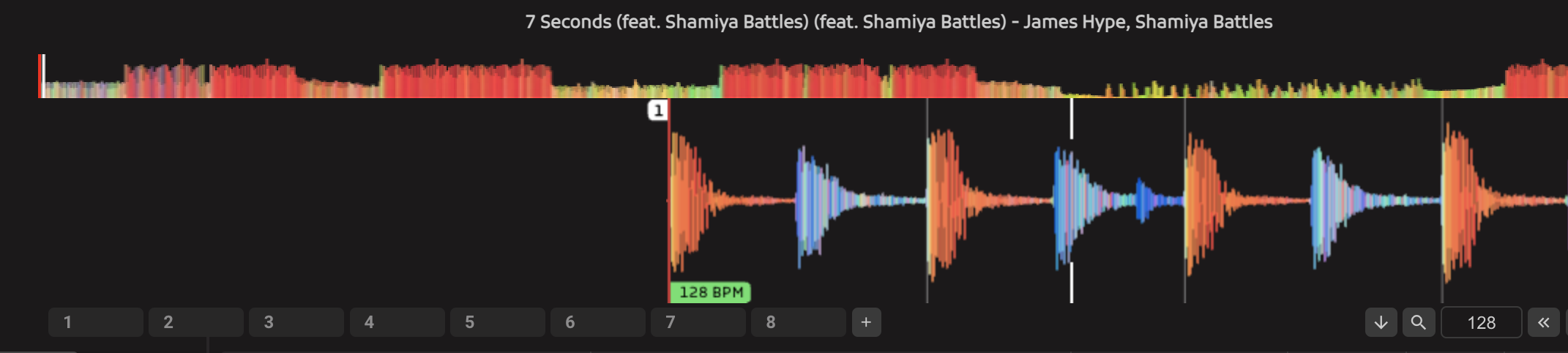
In Lexicon everything is fine, as here it’s about the beatgrid: It’s super fine in Lexicon.
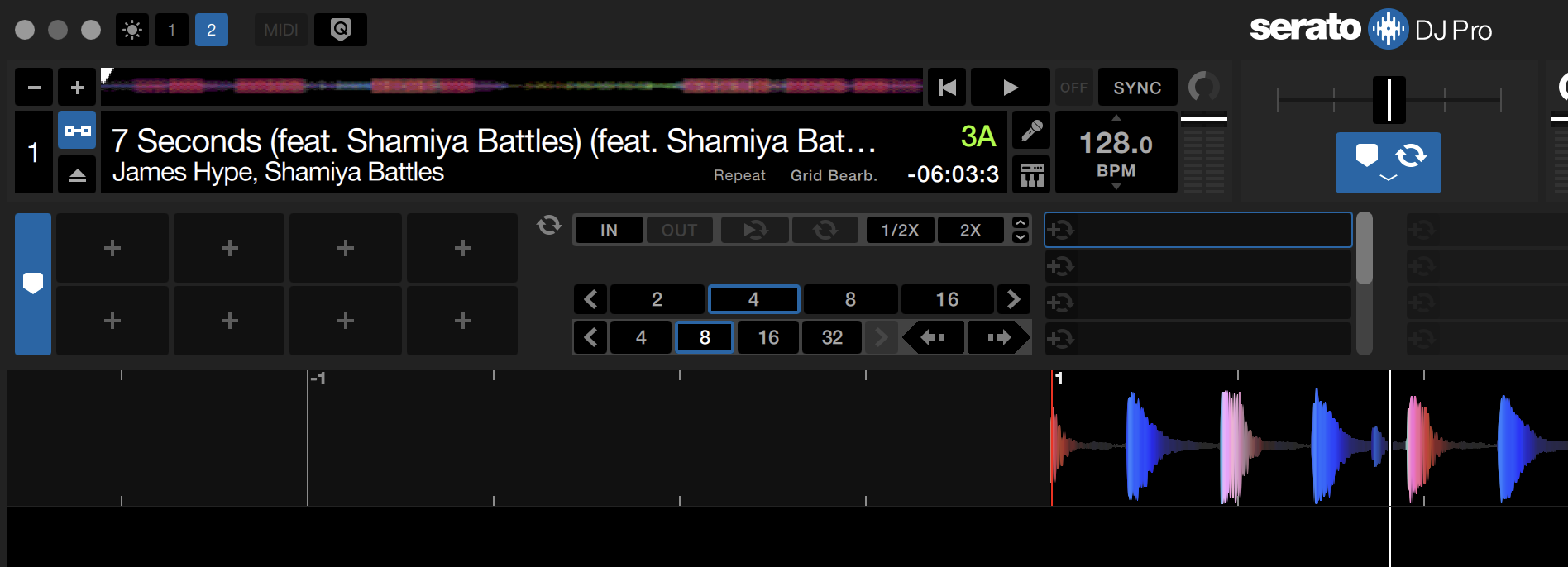
Once I sync the library to Serato (Full-sync) the beatgrid in Serato is way off, even if the file is marked with the blue lock.
What I’ve tried already is using the “Beatshift correction”, but this did not changed anything.
Thanks for your help!
The blue lock (beatgrid lock) only makes it so the grid can’t change in Serato, to avoid accidentally changing it in there.
It sounds like you are getting the beatshift problem, sadly it happens, see My cues and beatgrids have shifted slightly
Did you try the Beatshift Fixer? That should result in re-encoded MP3s that are not affected by beatshift so whatever grid you have in Lexicon should appear in Serato after the sync.
Hey @Christiaan thanks for your answer.
As written in my text, I checked the beatshift fixer-tool already out and tried it with no solution.
Also I mainly (around 99%) have lossless FLAC files.
Thing is: If I do the beatgrid correct in Lexicon, it will be ahead in Serato by a few “steps”, once I correct it in Serato it is again ahead in Lexicon. Logical it should be the opposite that then it would be behind the beat in Lexicon, but it’s always ahead in both softwares.
I have not seen FLAC with beatshift issues so not sure that is the problem. Can you share screenshots of much it shifts?
It may really be it’s only at m4a files. I have a few of them, but they are containing lossless tracks. What would the beatshift fixer do to these files? And will it solve the problem even if they are lossless?
Is there any way of replacing files in Lexicon?
Means: Can I try to recode them to flac by my own and then replace the linked files inside the existing entrys in Lexicon, so that I don’t loose the cue points and so.
Maybe via duplicate-tool?
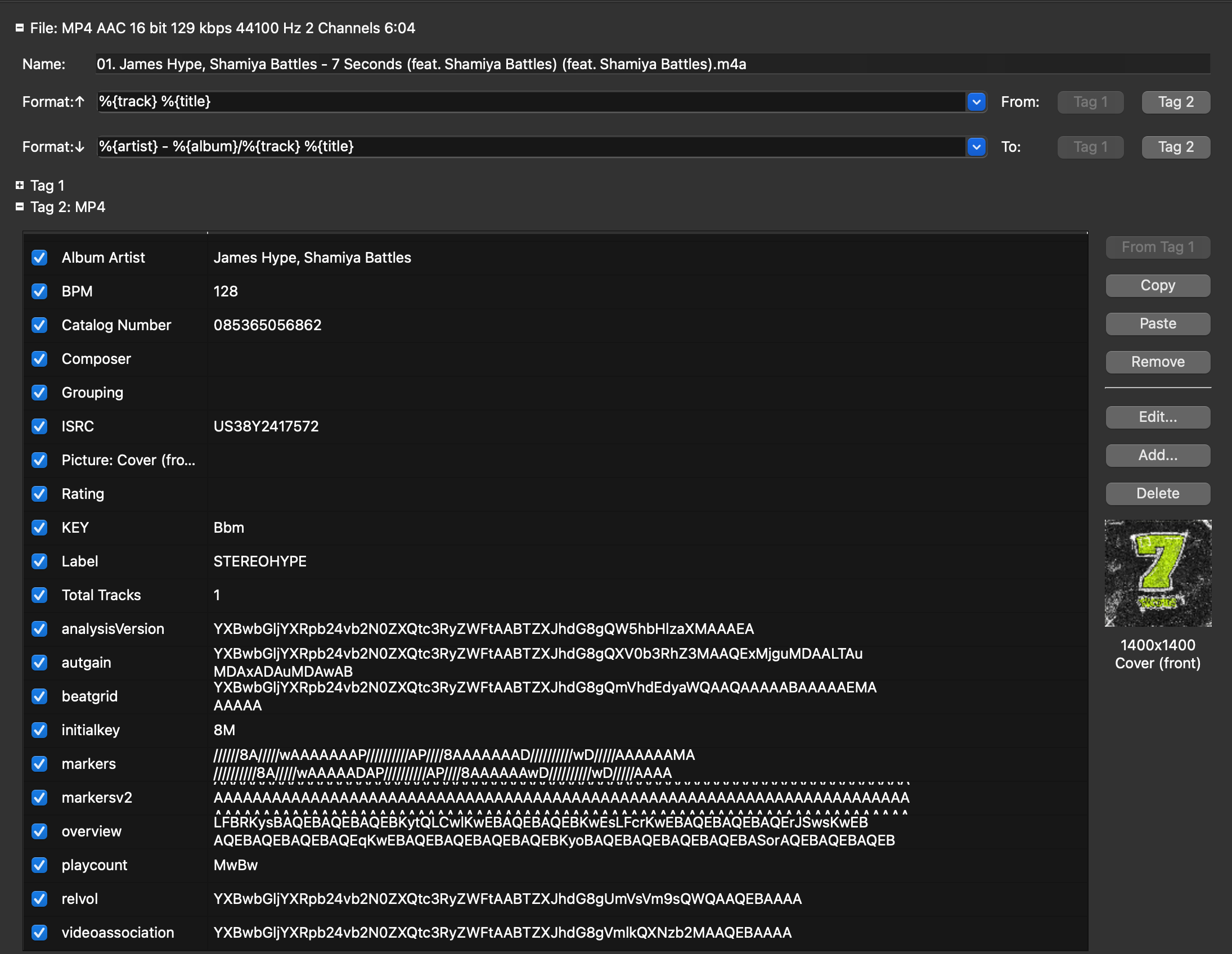
Here I have a m4a-file which is not lossless, but I tried the beatshift-fixer multiple times and it did not changed anything. I’m on a MacBook Air M1.
This is what kid3 looks like on the file which I put to the beatshift fixer multiple times.