BPM / Grid Wrong after FULL sync to EngineDJ and RB

Please fill in this bug report template:

Lexicon version: actually
Operating system (remove one): Windows

Bug description:
I’ve discovered a rather nasty problem.
I first noticed it in Rekordbox – at a gig where I was forced to use Pioneer equipment.

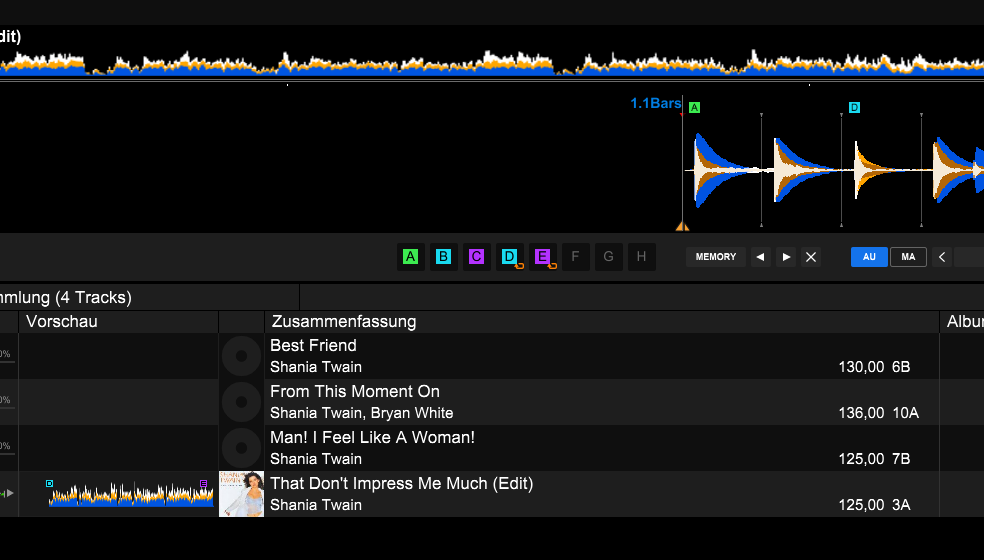
The BPM values ​​were incorrect on some tracks, and the beatgrid was off. Interestingly, my cues and loops were still correct.
So, I initially blamed it on Rekordbox and it was easy to deal with.

Now, however, I’ve noticed the same problem in EngineDJ.
Normally, when I have the choice, I use VirtualDJ about 70% of the time and the Prime 4+ in standalone mode about 30% of the time.

And there it was again: BPM way too slow (120BPM) , grid off.
Everything is 100% correct in VirtualDJ.

My workflow:
Full import from VDJ to Lexicon
Full export to EngineDJ Desktop
(Desktop is required for stems)

In Engine, the track is initially displayed in the database at 125 BPM and then changes to 120 BPM when it loaded in the player.
( This happens in deskop AND EngineOS ! )

I then deleted the entire Engine database, since my reference is VDJ anyway, and performed another full sync.

Afterward, the track is correctly displayed in the database at 125 BPM again – and it also remains at 125 when loaded in the player, which is correct.

However:

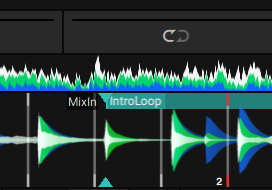
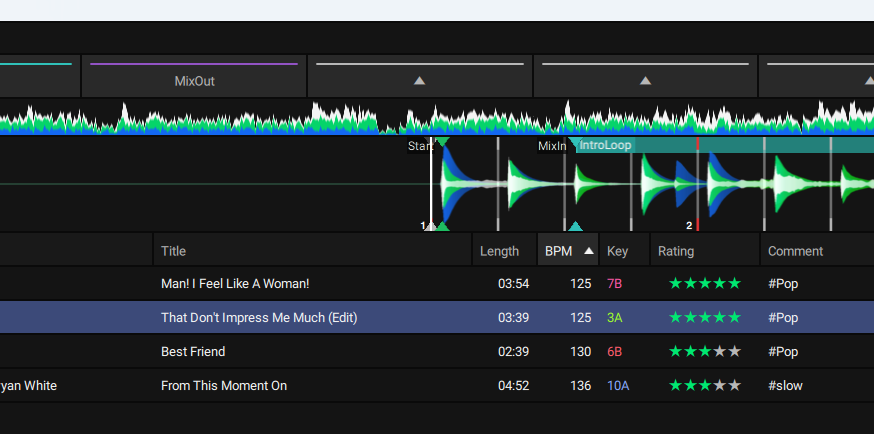
The grid is still shifted.
Cues and loops are correct, but even a re-analyze in Engine doesn’t fix the problem.
Here, manual adjustments are necessary.

A full sync to RB shows a similar issue!
The track is displayed in the database at 125 BPM, and it remains at that speed in the player as well.
But the grid is shifted, while the cue and loop are correct!
After re-analyzing in Rekordbox, the grid and markers are correct again.

I don’t really care about Rekordbox, as I avoid Pioneer whenever possible – but it’s still interesting to see that the problem also occurs there.

All my files are FLAC at 44.1kHz.


TRACK_XML.txt (1.6 KB)
A small addendum.

If I unlock the track in Engine Desktop and then reanalyze it, it’s OK again, and the grid and points are correct.

Interestingly, the track is still displayed with the offset in Lexicon, and a new analysis doesn’t change that.

There is a strange issue where tracks can have the wrong sample rate and it can cause it to show as 120 BPM incorrectly. You can try reloading tags in Lexicon to load the correct sample rate (you can uncheck everything, it will reload samplerate) and then sync to Engine again.

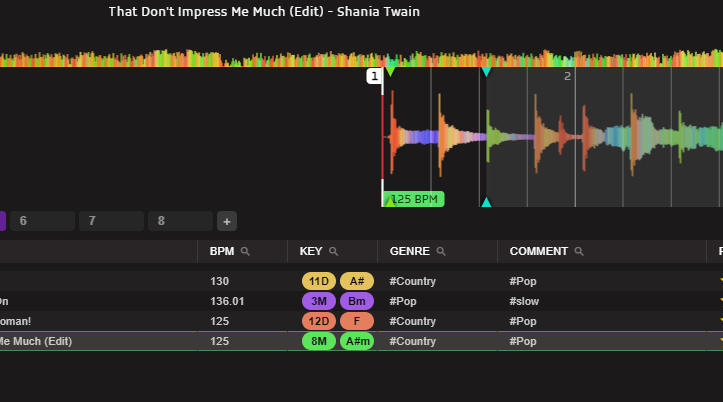
The track is already displayed with the shifted grid in Lexicon.
Or rather, I suspect it’s because Lexicon has to recalculate the grid itself?
And that’s exactly what gets transferred.

Unfortunately, I can’t reproduce the case where the file later becomes 120 BPM in EngineOS, presumably because I completely deleted the Engine database.
I’ll check if I still have it as a backup.
Why EngineOS does this is a mystery to me.

However, I have a suspicion that since all the tracks were locked, this is causing a problem in Engine.
If I unlock them and Engine can adjust the grid, it’s like with RB.

The sampling rate shouldn’t be a problem here.
The data is all the same because there’s a bug in EngineOS anyway when, for example, only 22.050 kHz is available.

Is it possible that Lexicon calculates the grid before exporting the data to Engine?
Because after the import, I can only see it if Lexicon has calculated the waveform?

Engine has different beatgrid data than Lexicon so it’s all calculated on sync. If there is something wrong in there, it will display a wrong bpm or grid

I’ve just noticed that the problem becomes visible in Lexicon immediately after importing from VDJ.

I’m going to create a Python script that shows me all the files with a start cue that differs significantly from the actual start of the file. Then I’ll examine those in Lexicon and then in Engine.

Just an idea?

Because the current situation is quite unreliable.

My current workaround is to set the export to Engine to “unlocked,” so that Engine recalculates the grid, which at least matches VDJ in almost all cases.

You can forget about variable grids in Engine right now anyway.

If you find anything that is wrong, please let me know yeah

Are there any plans to incorporate VDJ’s new grid?

I think its quality should be similar to DjayPro’s?

Of course, this changes everything again, especially in conjunction with EngineDJ?

I’ve attached an example as an XML file.

VDJ_FluidGrid_example.xml (3.4 KB)

No plans for that currently, too busy with other things