What is the feature or ability you would like to have?
Is there a chance we user can create an own color palette / fixed name to the cue’s?
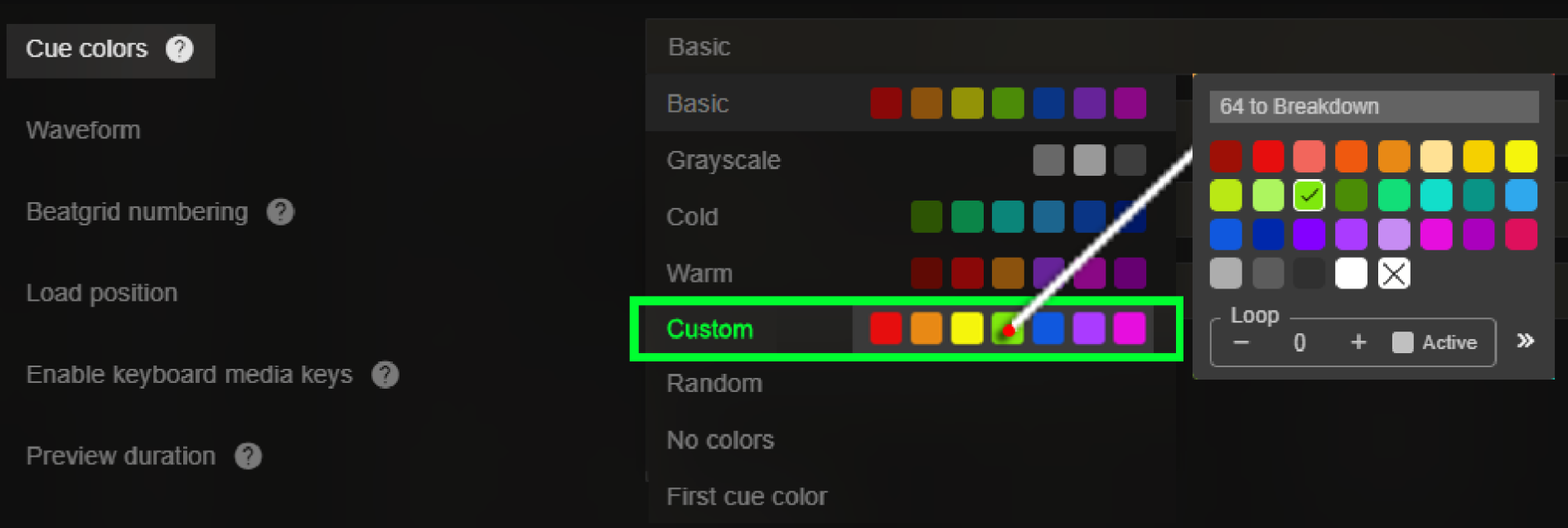
If we could get a “custom colors/name” section that would be handy:
→ we click “Custom” to assign that color palette.
→ we click/rightclick the color we like to edit.
(we now get that contextmenu when we rightclick onto a cue under the track in player mode to rename the cue or change it’s color.)
→ since it’s the same context menu we also could have the chance to chose a pre-defined/fixed name for that cue? (blank = Cue# // text = fixed cue name)
I made a simple mock up on what i mean. (added picture)
Been using Lexicon for years now and i must say while all the edit functions are there, and very handy!!,
i kinda miss a feature like this. it will save a lot of time.
How will this feature help you and others?
just click the cue button and it allready has the wanted color & name
instead of selecting all and using a series of edit recipes EACH TIME you import a batch of tunes…
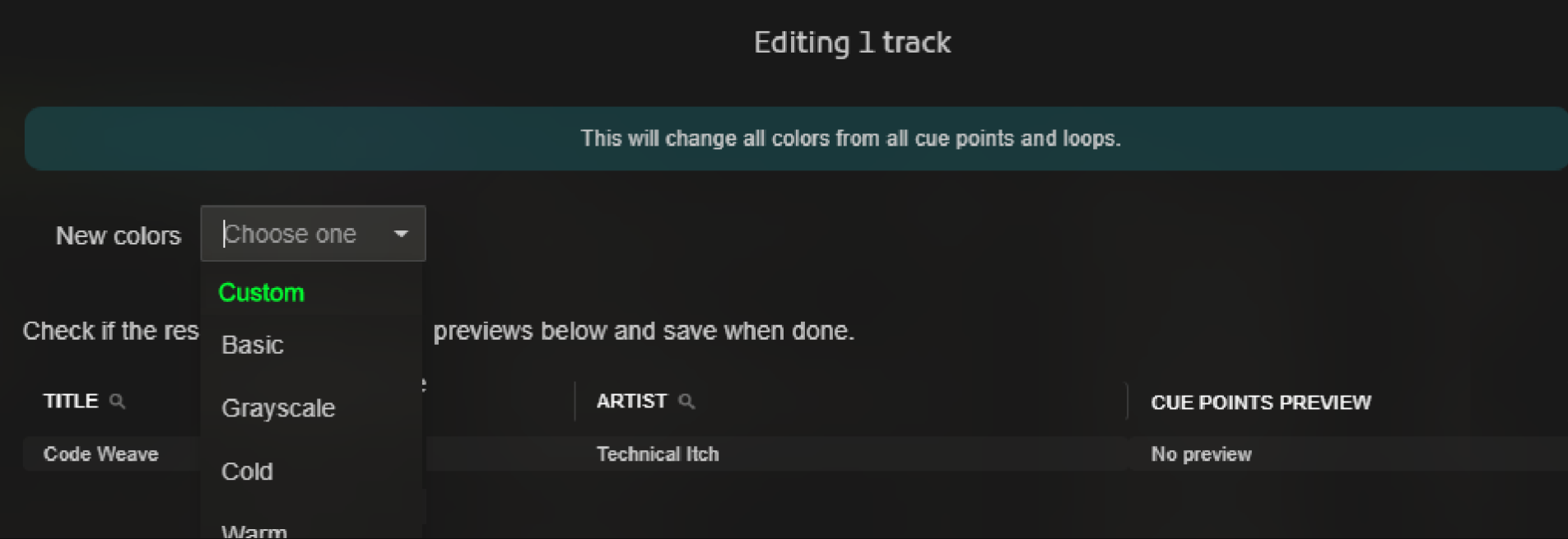
SELECT all tracks → EDIT → Change Cue Colors Recipe → Choose “Custom” (if not assigend allready) → execute recipe
Is this feature available in an existing product? If so, what product?
not that i know of
Does a workaround currently exist?
PER TRACK manualy type in cue name & give wanted color
SELECT ALL use recipes…
What i try to ask in this request is kinda allready there just not linked to a “custom” fixed state
→ the color palettes are there (just not a custom one yet)
→→ while selecting the colors just add a fixed name for a cue (we allready have a context menu that provides this when we edit cue slots on the spot, could be handy if could have a same context menu like that in the “Cue colors” in “settings” menu.
Is needed so its easier to match the colors with your DJ app colors?
No, that’s ok. The the function “match the color” does it’s trick enough for me tbh.
It’s just…
I kind of use my own palette/cue-style per genre you see?
So if i could, gone try to give a certain workflow here:
make a custom pallette (create a color sequence from the now available colors as in the context menu’s (like the rightmousemenu on a “cue-slot” that would be a good one!) (and if that names option could be included … WOW that would be so epic)
Select all the tracks from a certain playlist.
Use the “Change Cue Colors” Recipe on those…
Et voila: all the present Cues from that selection got the wanted color (if possible also the name)just in 1 recipe click.
(Instead of using the “find & replace cue” recipe PER CUE)
PLEASE: Don’t get me wrong all the other recipes are doing their magic as well!
I’m using them all the time it’s pure wizard stuff what you managed to pull of btw!!
i use your app for some years now and i am still a big fanboy when it comes to this app!
i just kinda feel this could be a intuïtive missing link to feed the ergonimics a bit more.
i have the feeling that all the factors are kinda allready there in your app…
just not linked to eachother.
the standalone settings function (“Cue Colors” in settings)
– when clicking on a color; use the same the color/name palette-menu you get when rightmouseclicking on a cue-pad
the Custom made palette add to the list of the “Change Cue Colors” recipe
The elements are allready there, just not linked yet for that ‘scenario’
Anyways,
Thx for taking the time reading this bruv. (fingers crossed you find this worthy to try)
Thing is that I don’t want to add any multi step recipes like this because it would be more suited for a macro system, where you could assign multiple actions (like recipes) into one click. Now the macro system doesn’t exist yet but it’s been an idea for a long time.
Isn’t a plugin better suited for what you need? You can customize the colors and run it with a single click on your tracks.
Isn’t a plugin better suited for what you need? You can customize the colors and run it with a single click on your tracks.
eh … HOW? is it allready in the app??
i ment in the main settings under the “Music Player” → “Cue Colors”
So we could add a custom color palette.
you made it possible for us to customize the waveform-colors , so i thought to myself… why not a “Custom Cue Color” too?
With the color-pads you allready implemented ofcourse, NOT the color rgb/cymk sliders. We just right-click on a color-slot behind the word “custom” in the list, we get that menu you allready created that we use by right-clicking on a used cue-slot under the waveform in playermode.
Once a custom palette is created it’s in the dropdownlist
(that’s the same list as in the dropdownlist from the “Change Colors” recipe… right?)
one click on that recipe and boom! (NO multi-step recipe sequence, just a simple preset-creation in the settings, 1 click and done.)
i hope i express it correctly what i try to bring to the table ^^
I completely understand if it’s way too complicated, but from what i’ve seen allready in Lexicon… this request seems to be peanuts as you kinda allready have all the foundations & functions implemented to build it upon.
Tought the idea would get more attention from other users this time as more users were locked in & maybe struggled with the same issue.
If there is a way to create this function in the app on my own, i realy would’ve tried it allready, but 'm far from the pro you are hehe
anyways Take care @Christiaan thx for concidering in advance.
i upgraded to ultimate to try out your “cue template” function, the little arrow to prefix the cues, ok this is cool! can those be implemented in the “Change Cue Colors” recipe?
well actually … i just managed it to get it work with a plugin indeed lol never thought it was possible!! Damn i hate to be such a noob when it comes to these things. but i managed to make it work wooptiedoo!
EDIT: you can close or delete this topic if you want