Lexicon version: 1.9.11 Operating system (remove one): Windows
Bug description:
When importing soundcloud tracks from EngineDJ, some SoundCloud tracks will at random be missing Beatgrid and queue information. The tracks affected appear to be random.
This also happens when exporting to EngineDJ. The BPM, beatgrid, and/or entire track details will be missing. When the entire track details are missing, the track simply shows up black with no title or other information
Step by step to reproduce:
Simply set up a USB, import a Soundcloud playlist, play a few tracks to get lexicon to analyze them, then export to a engineDJ USB. Open on engine DJ hardware and sometimes you’ll find that your soundcloud data is missing, whether that is the entire track or just the beatgrid or just BPM. I’m guessing the import bug is the same.
Screenshot:
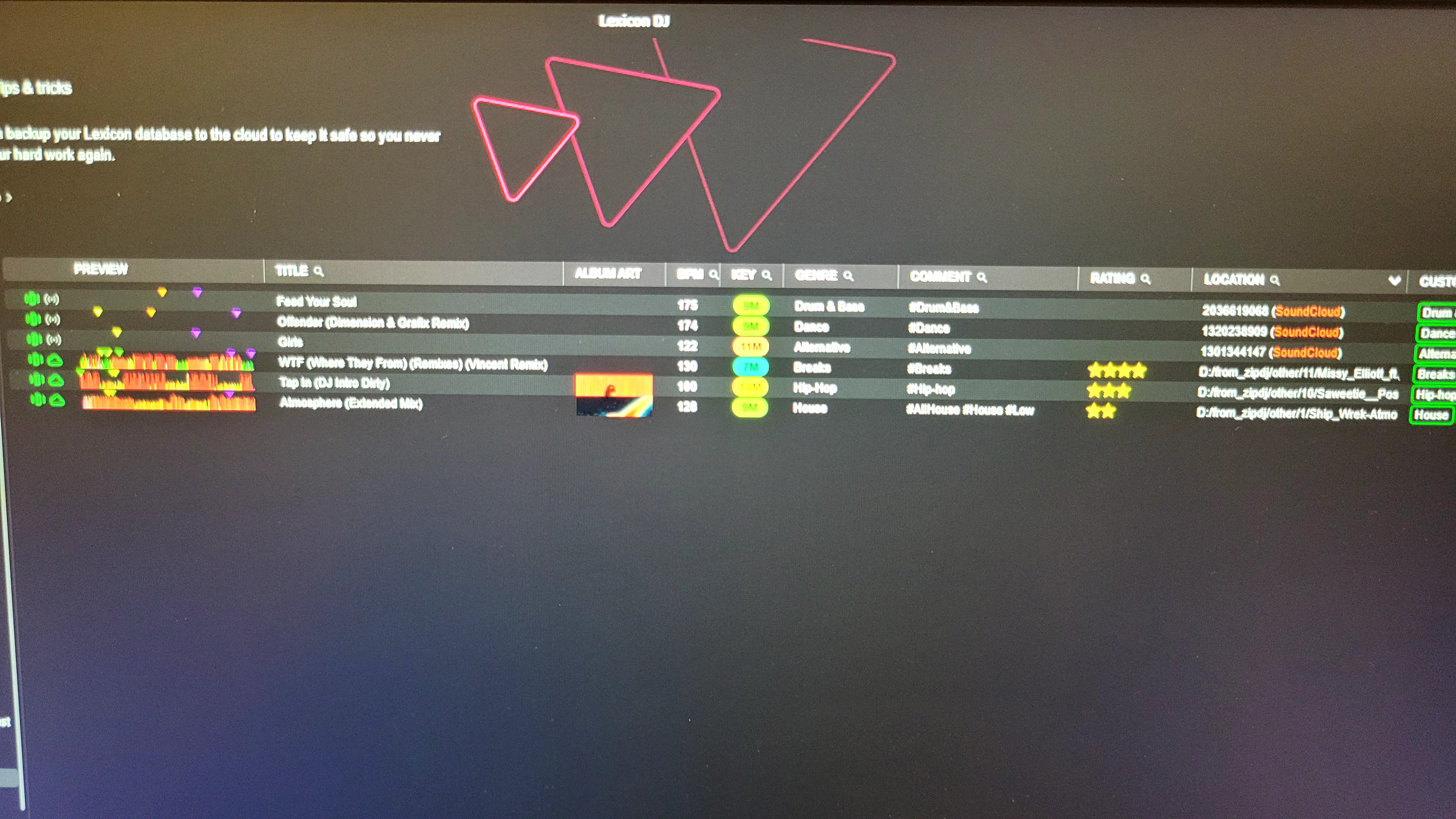
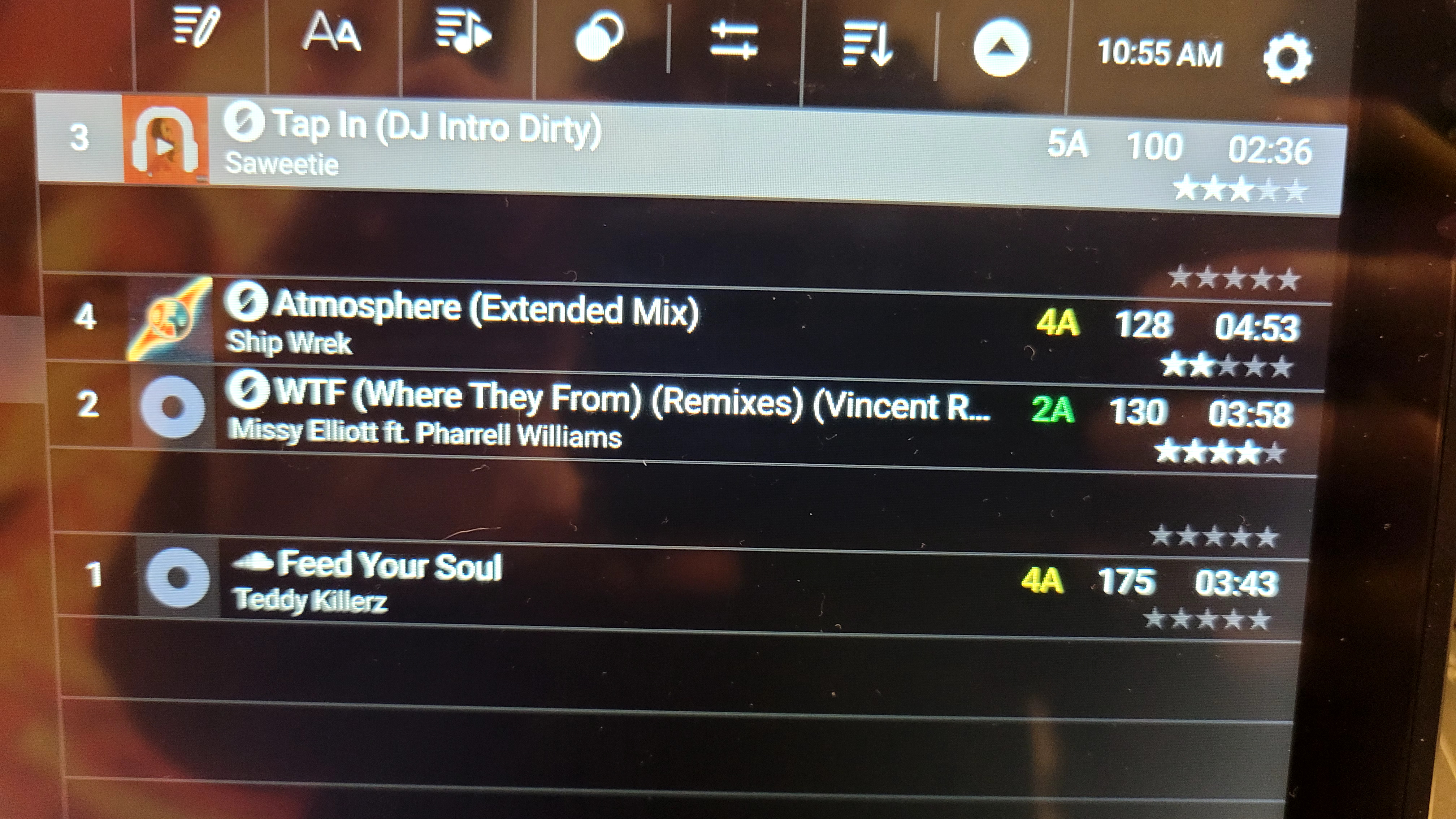
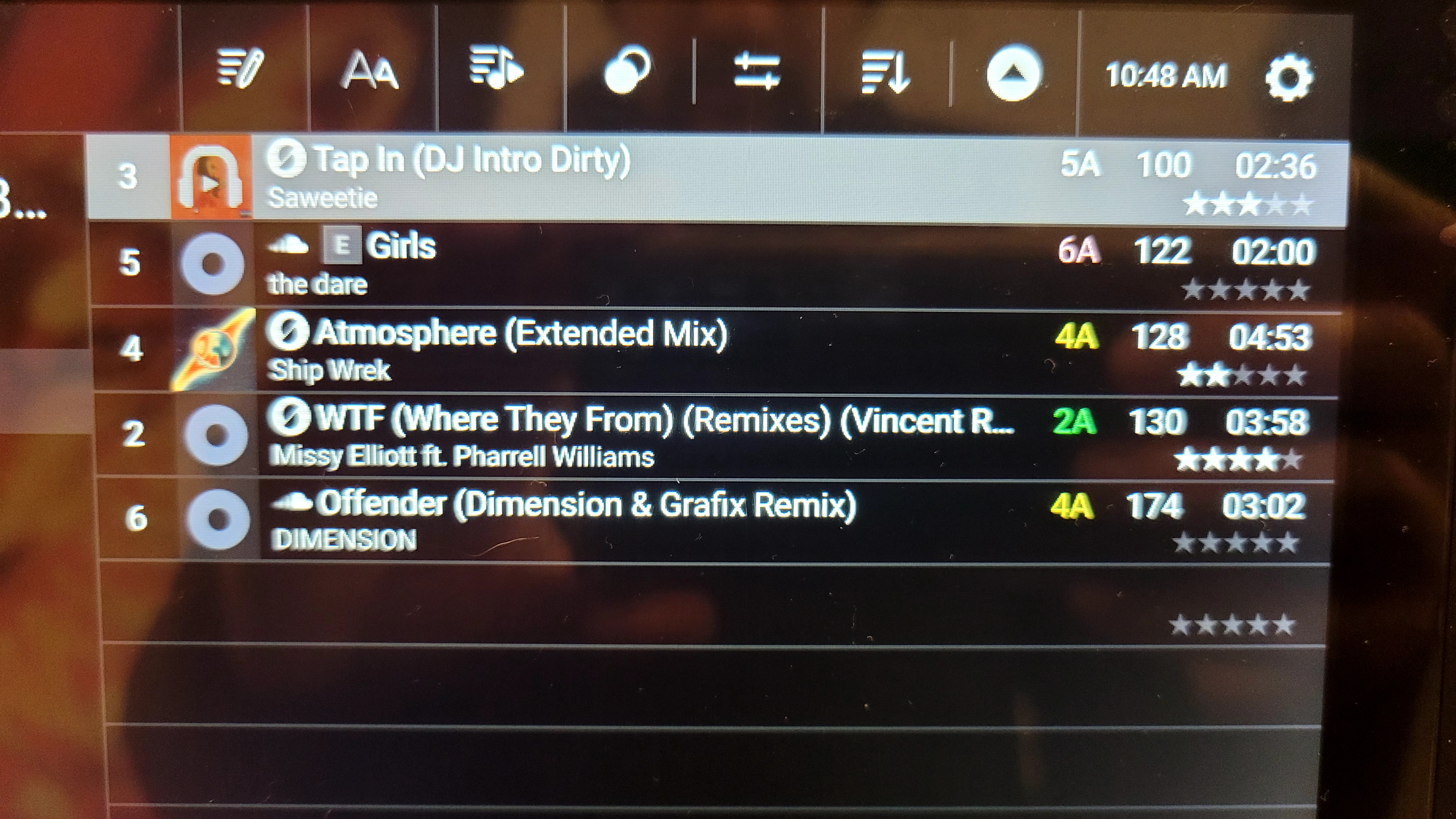
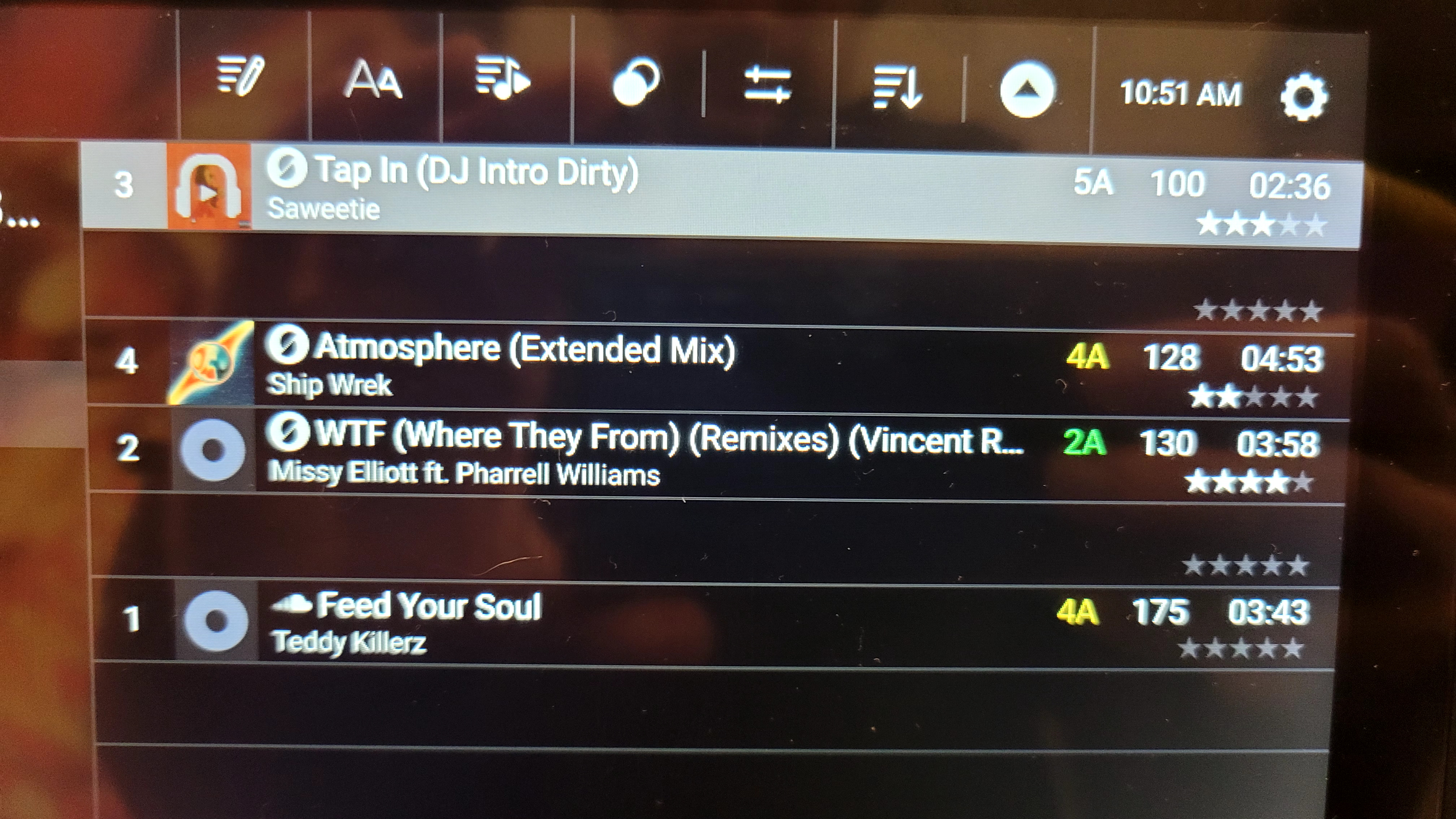
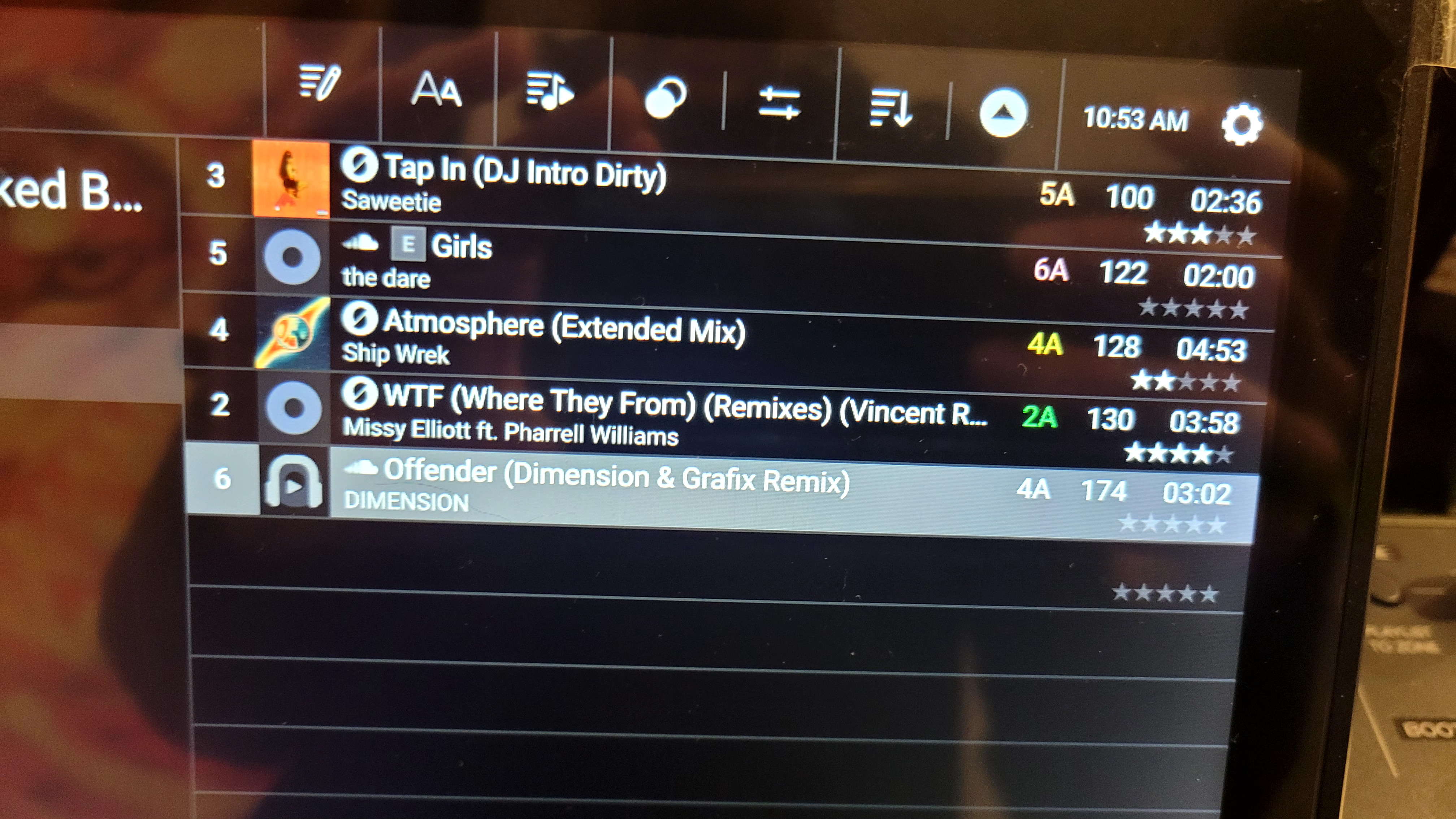
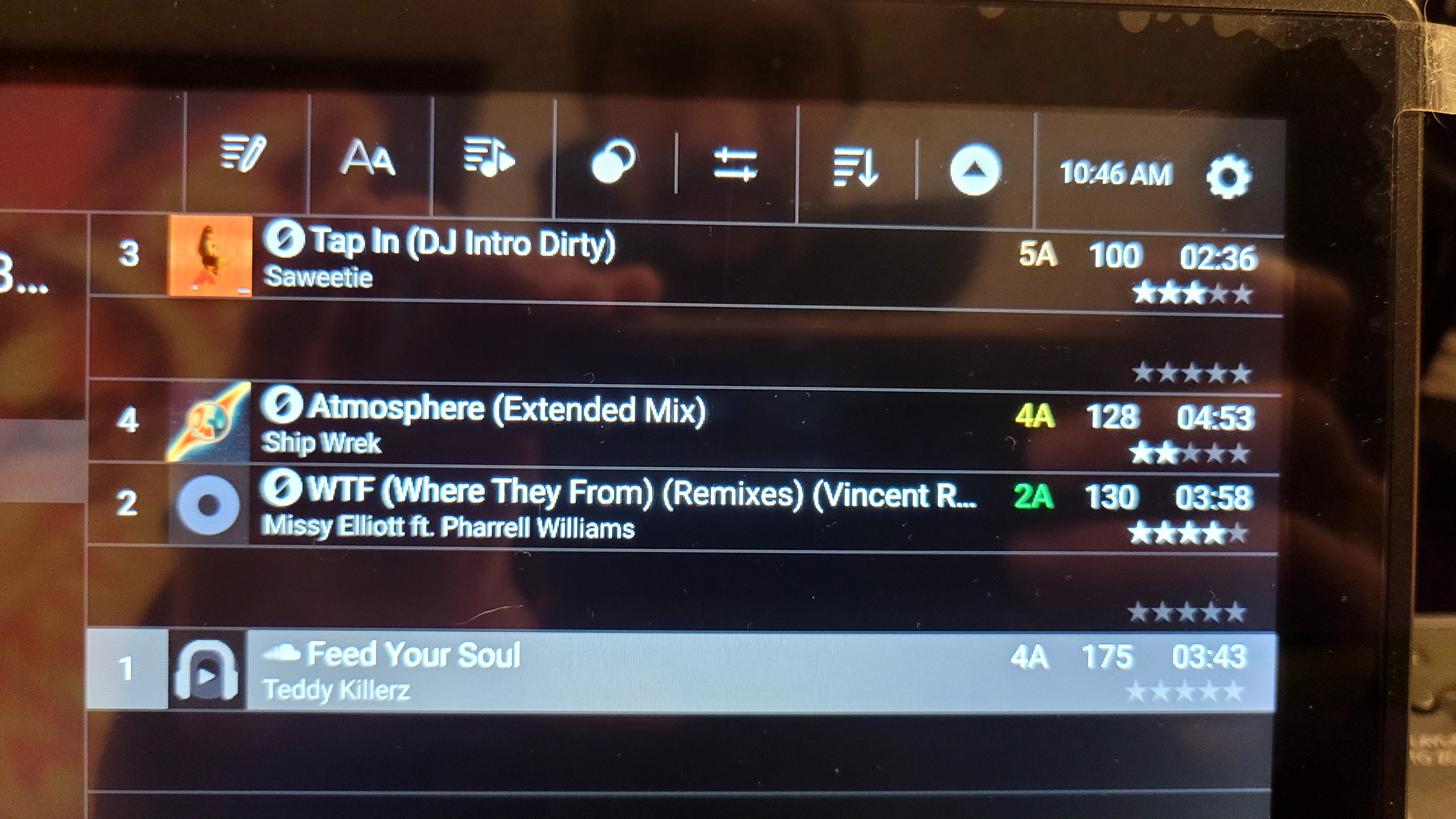
I’ll need to get some pictures with my camera because engineDJ for desktop won’t load soundcloud
What I’m now noticing is that with a bunch of these tracks, I’m losing queue points as soon as I try to play them in lexicon. Before the wave form is generated, I can see that I have queue points but the moment I load the track they all go away…
I’m now trying to restore my beatgrids by exporting a playlist with “Don’t touch my beatgrids” then re-importing the track with only beatgrid import enabled… but the export has messed up all my beatgrids (actually all the tracks entirely) on the backup USB I’m using.
Edit: After attempting to export a couple times, I got it not to clobber my beatgrids on the USB. I just kept going between lexicon and my prime 4+ until the export decided to work. However, lexicon has still clobbered my queue points. In order to restore my library, after fixing this bug could I get a “don’t export queue points” option? or even better, a full set of options like we have during export to specify exactly which fields to import/export
I was able to restore ~110 of the ~130 tracks affected by creating a playlist in EngineDJ then re-importng the tracks in the playlist to lexicon with all except beatgrid import disabled. So I haven’t lost too much work… but I’d really appreciate this being fixed because I like to edit my beatgrids on my engineDJ hardware while I DJ, then simply sync them back to lexicon… and its just not working dependably right now
The disconnect happens when importing from both Engine desktop and the USB. If you sync directly from Lexicon to a USB and import from the USB without having Engine desktop involved, it should always be fine
Thats not true, I can repro this about 50% of the time by simply exporting soundcloud tracks to a USB then loading the track on my prime 4+. half the time soundcloud tracks have no beatgrid and enginedj thinks they are all 120 BPM after loading
The 120 BPM issue happens when the samplerate is incorrect. What fixes that is a reload tags in Lexicon before syncing again, that always reloads the samplerate too and should give the correct BPM in Engine.
That does not sound right. These are soundcloud tracks so the “reload tags” option is disabled…
Also simply expoting the same track repeatedly results in the track sometimes working, sometimes not working. And it goes back and forth between working and not working
I wasn’t able to repro the 120bpm thing that sometimes happens but the track being totally broken I was able to repro, more than once. Simply repeatedly exporting to USB left the track broken about 50% of the time. Similar thing happens on import, but I’ll bet if you find the reason for the export bug it’ll be the same or similar for import. For import I’ve never seen a blank track, but for sure I’ve seen it missing beatgrid info.
Okay yeah I don’t know how the 120 bpm thing would be happening to soundcloud tracks then, quite strange. But can you confirm that blank track issue only happens to soundcloud tracks? Or local (mp3) tracks too, or another streaming service if you have it?
I went ahead and created a playlist with 3 Soundcloud tracks and 3 mp3 tracks. All tracks had queue points so I could detect if cueue points were dropped.
The results were that soundcloud tracks continued to have issues about 50% of the time while the mp3s have been fine 100% of the time. In addition, I’ve never observed an issue with an mp3 file, despite using them for about 35% of the time or so that I’ve been playing around with lexicon imports and exports.
The other thing I noticed is that I never had cueue points or beatgrid dropped, it was all or nothing - the soundcloud tracks totally broken or were totally fine. Meanwhile the mp3s were always fine. What I now suspect is that the broken beatgrid is due to problems importing soundcloud tracks. I think that the beatgrids go missing on import sometimes and those were the tracks I’d have the 120bpm issue with
The 120 thing is definitely related to the grids, or samplerate, so I’ll have to try and reproduce that. Maybe it is the same issue as the blank tracks, I’ll find out.
Thanks! I’m looking forward to it. This is the only thing keeping me from really using lexicon the way I want to. Other than the soundcloud thing, its been great!
I just tried that specific soundcloud track (feed your soul) but did not see any problem with it like in your video. Just 175 bpm and its not blank either. Even after several re-syncs.
Have you tried with a completely empty USB drive? Maybe there is something old causing it to break.
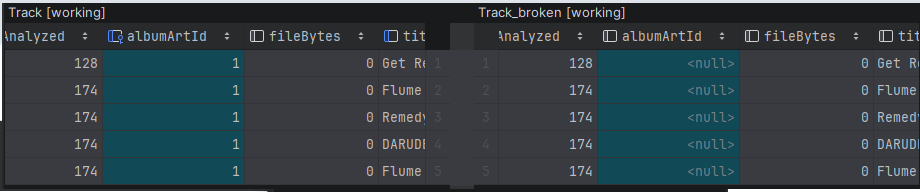
I figured I’d take a quick look at the Sqlite databases when the tracks are broken. I ran across this pretty quick after reproducing the issue on the first try. Working database exported from lexicon on the left, broken database exported from lexicon on the right. This was comparing the ‘Track’ table:
So anyway to confirm if this could have caused the issue I tried:
UPDATE main.Track SET albumArtId=1 WHERE 1=1;
And the tracks started working after that change to m.db. However I’m not sure if this is what goes wrong 100% of the time. I’ll try a new USB as you ask but this issue is pretty clearly not related to anything about the USB… Also I have lots of USBs and I’ve started from scratch a few times. This particular time I simply renamed ‘Database2’ and allowed lexicon to re-generate the database for a single 5-item playlist.
But this makes me wonder if maybe lexicon has a bug where it finishes with updating the album art but sometimes fails to commit an ongoing transaction?
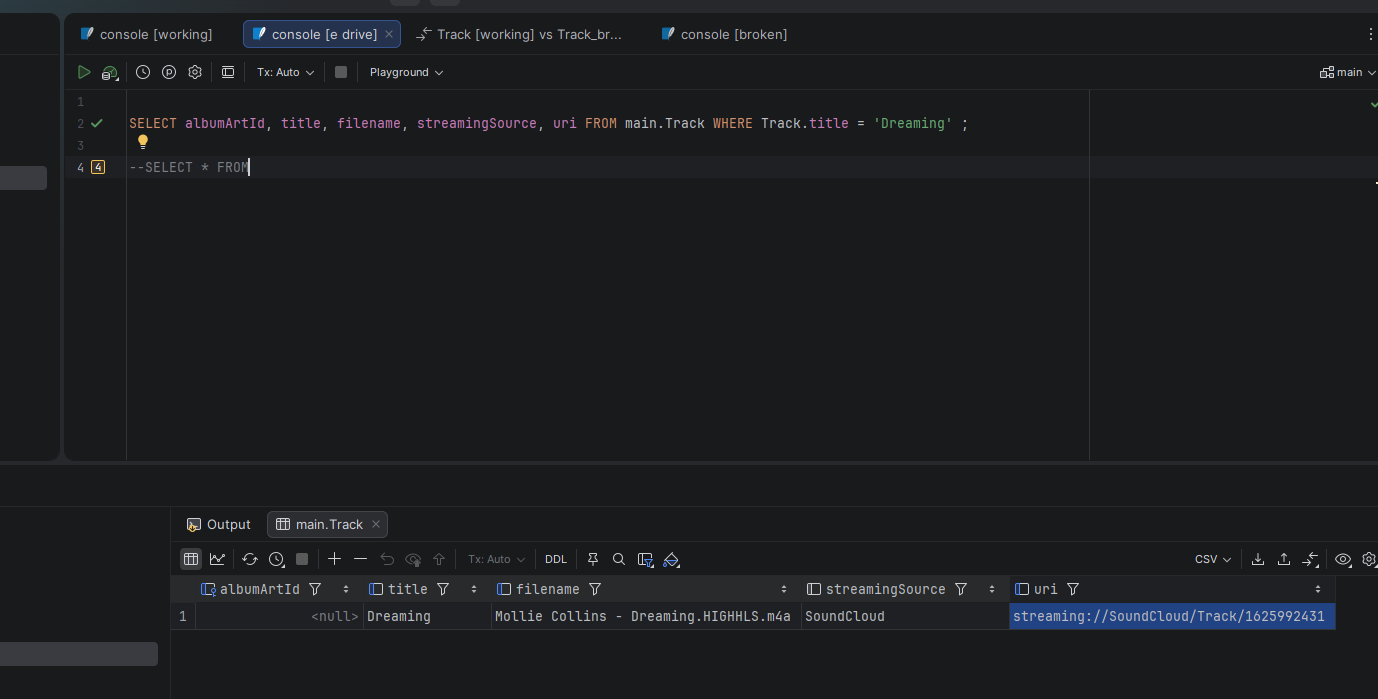
This is weird. I pulled up one of the tracks that had failed to export in the past and found it has a file name attached as ‘m4a’ for some reason. No clue how it ended up with that considering this is a sound-cloud track. It also has a missing albumArtId: