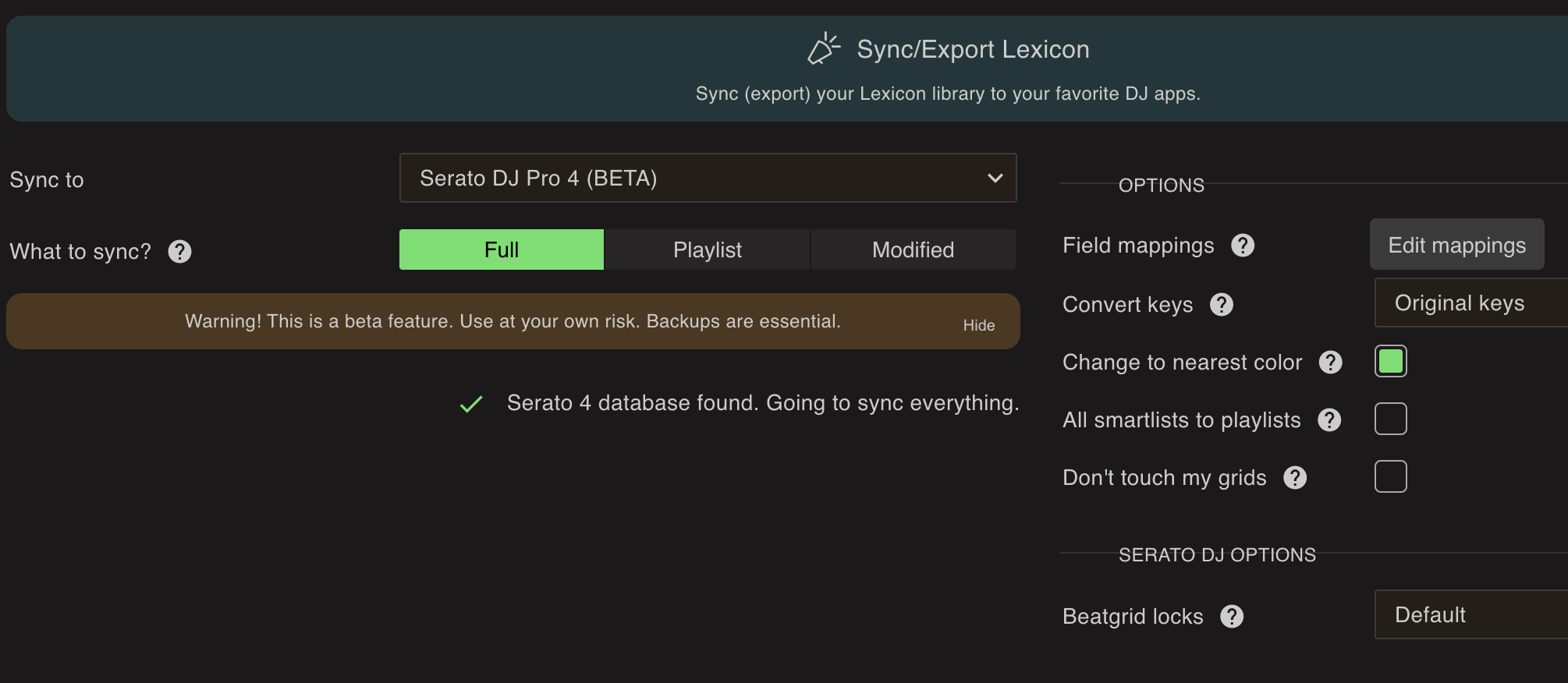
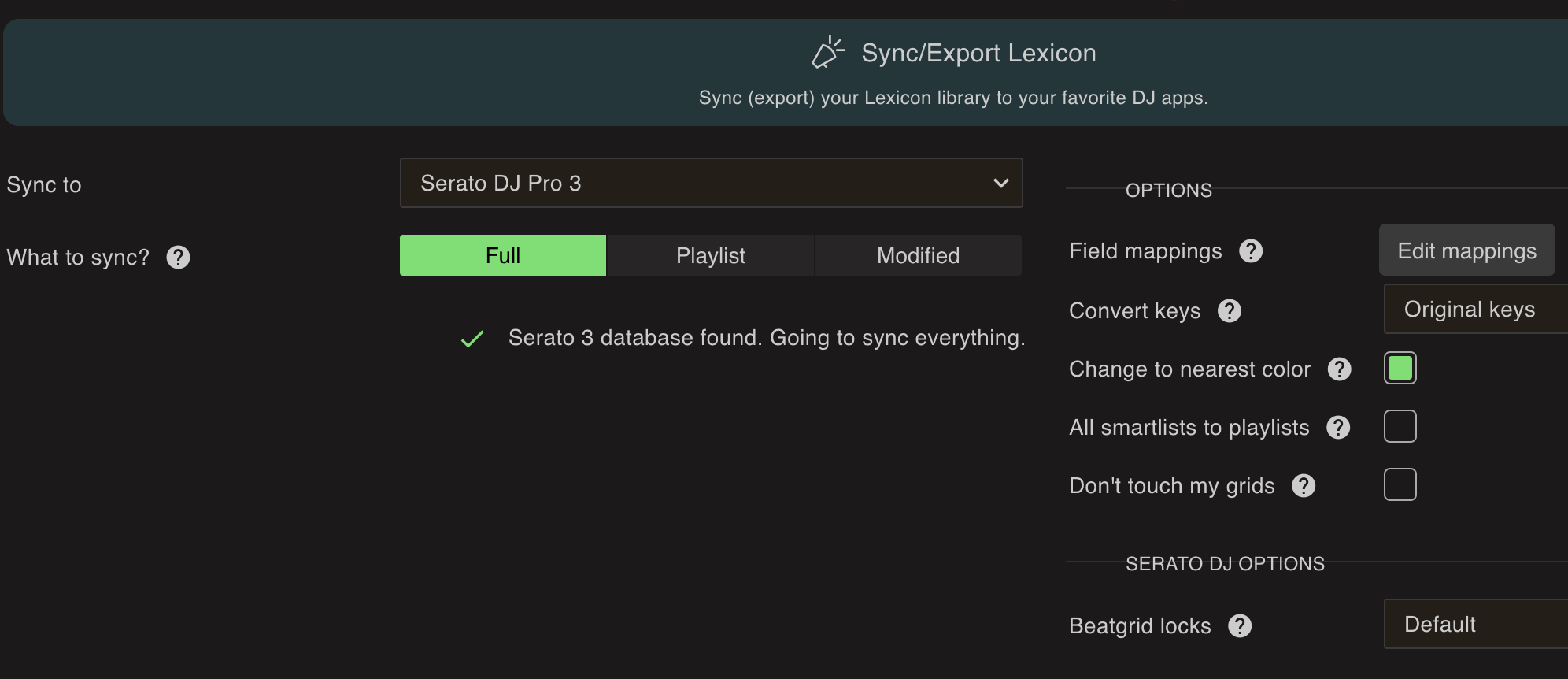
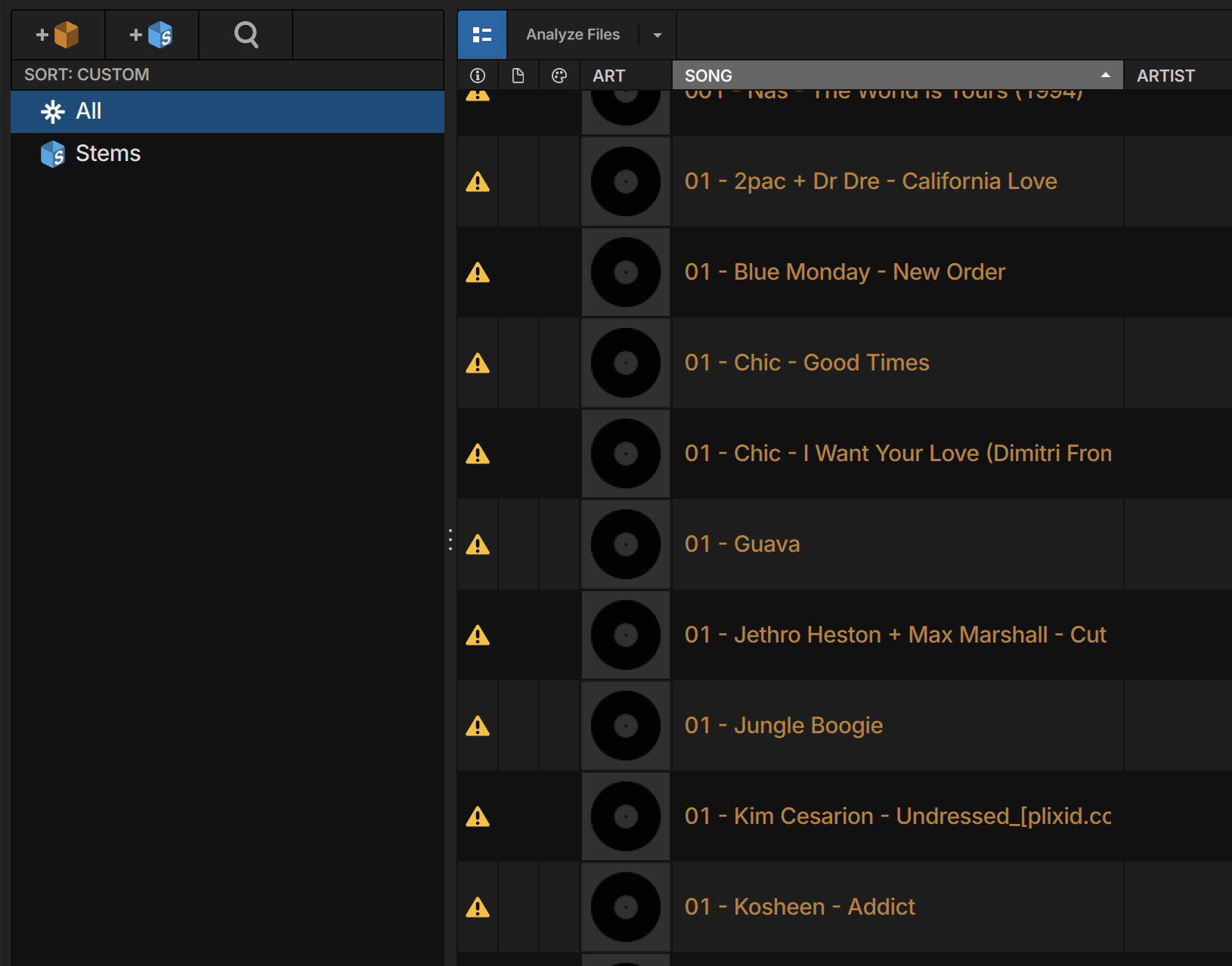
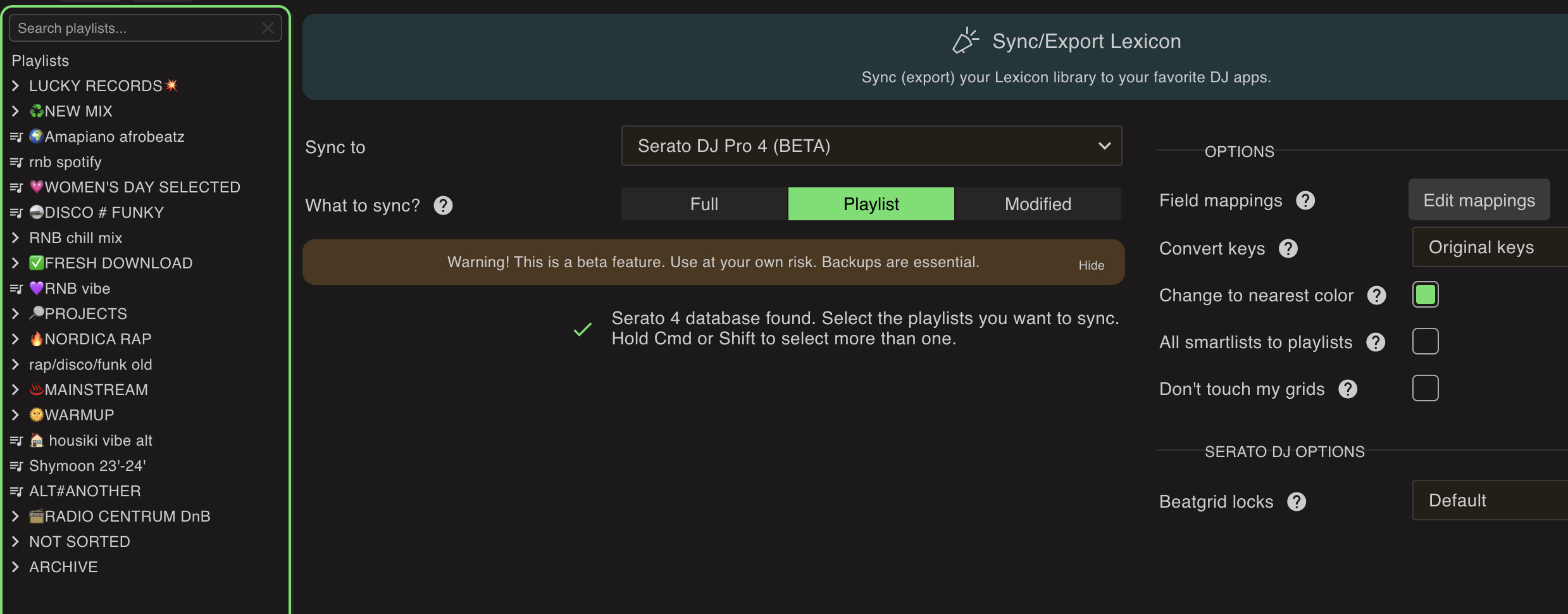
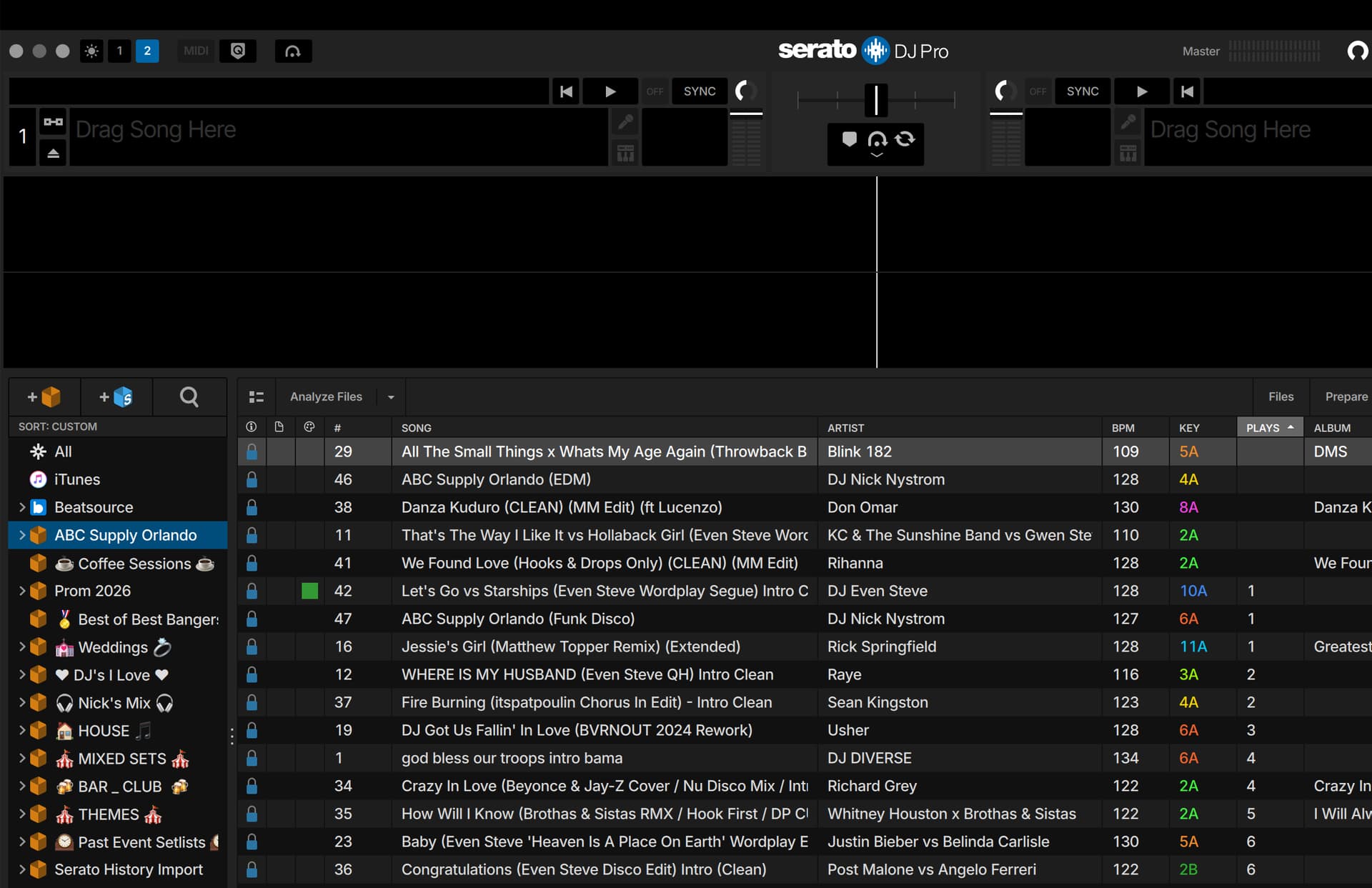
After spending whole day organising stuff in Lexicon all my crates from Serato Dj 4.0.5 disappeared… I know it’s says it’s in beta but at least how can I bring it back from backup? Has all my work today will be gone (I guess)? As you can see I still have all my crates in Lexicon but none of them in Serato… Already tried manually copy-paste ‘subcrates’ folder to ‘Serato’ with no luck… I’ve already tried ‘full’ and all ‘playlist’ sync…
Please help!
1 Like
Did you use todays Lexicon update? v1.10.3 ?
There is a backup of your crates so it’s all still there (and in Lexicon). A Serato 3 sync should put the crates back as well and Serato 4 reads them.
Yes i have the latest version - updated it today during my analyse files in lexicon session (1.10.3).
Ok I will try that, thank you for quick response!
That’s the message when opening Serato, I’ve tried Serato 3 full sync and playlist sync with no changes unfortunately…

1 Like
There should be a backup zip file in your Serato/Lexicon folder, see How to restore a Lexicon or DJ app backup?
1 Like
thanks, but it didn’t help… I’ve even tried with earlier manually saved backup swapping whole ‘serato’ folder. Luckily I was moving library from old to new computer so I’m still able to get old files and start from scratch. I will wait for another update of Lexicon cause it cost me to much effort and time today.
it might be something wrong with new searto version as well according to this topic here: https://www.reddit.com/r/Serato/comments/1r0f6gi/empty_crates_and_serato_unusable/
This happened to me today I was so frustrated. I prepped everything, went to my gig plugged into play and opened Serato to find all my crates are gone. Lexicon will NOT SYNC to Serato. I have spent 3 hours trying to reinstall, uninstall to fix with no luck. I had to DJ out of my master folder tonight which sucked. Please help me fix this issue. All my stuff in LEXICON is the way I want it and it says it successfully syncs to serato. Then I open serato and nothing, zero crates. PLEASE HELP!!!
Running into the same issue today—this is not user error and seems to be affecting multiple people.
Setup:
- Serato DJ Pro 4.0.5
- Lexicon DJ (latest) 1.10.3
- New Mac (Apple Silicon) M4 2024
Issue
- All crates disappeared in Serato
- Tracks + cues still there
- Lexicon shows all playlists
- Sync = “successful”
- No crates appear in Serato
Also:
- No
Subcratesfolder in_Serato_ - No
.cratefiles being created - No “Export to Serato” option anywhere in Lexicon (only Rekordbox shows)
Key insight
Lexicon is NOT exporting crates at all—even though sync says successful
This appears to be metadata-only sync (cues, etc.), not playlist → crate export.
Additional issue (new Macs)
Serato may also be partially broken due to macOS permissions:
- Prepare window doesn’t work
- Dragging tracks silently fails
Bottom line
- Serato can be fixed and works
- Lexicon playlists are intact
- But Lexicon → Serato crate export is not happening
Questions for others
- Do you see a
Subcratesfolder in_Serato_? - Are
.cratefiles being created at all? - Do you have ANY “Export to Serato” option in Lexicon?
Feels like a Lexicon + Serato 4 compatibility issue or broken integration.
Would love confirmation if others are seeing the same!
Same for me! It let’s me choose the folder but when you hit sync nothing happens. I also have that Serato error message at the bottom that you are showing.
SO I made this post right before getting ready to go to bed, opened Serato and there are all there? What in the actual heck?
1 Like
After 3 hours of troubleshooting with CHATGPT and coming to this forum finally I was able to resolve. Apologies for the posts and rants but as you can imagine it’s a DJ’s worst nightmare to show up to a gig and have no crates after literally just prepping them before getting there.
FIX:
Do what they suggested, do a Serato 3 sync not the new 4 beta. Once I did that then opened up Serato everything is back. I even was able to crate a new playlist in Lexicon and sync it with Version 3 and it DOES show up in Serato. I will stay on V3 until we get stable support. Thanks all!
Silverlining: I had to DJ based soley on playcount and memory tonight. Thankfully it was a vibes gig so nothing high pressure like my normal wedding. It did make me thing I have way to many crates so maybe a blessing in disguise? LOL
Cheers!
1 Like
I will do a release later today with an improvement in this area, I have a few ideas that can help
2 Likes
Thank you for posting such a detailed description of the problem — I’m glad it worked for you. I’ve tried everything, including a full sync and a playlist-only sync with both Serato 4 and Serato 3, but nothing helps.
No matter what I do, the issue remains. I even copied a full backup of my _Serato_ folder from a few hours earlier, but nothing changed. When I manually copy the Subcrates folder into _Serato_, the crates appear briefly, but after I open Serato and then close it, they all disappear again. Each time I launch Serato I get the error: “Operation failed. Crates and files may not appear correctly.”
All my crates are still fully intact inside Lexicon, so the data is not lost — it just isn’t reaching Serato. I’ve been troubleshooting with Claude and here is what I’ve tried or am planning to try next:
- Full Disk Access on macOS — Verified that Serato DJ Pro is listed under System Settings → Privacy & Security → Full Disk Access and toggled ON. Without this, macOS silently blocks Serato from reading and writing its own library, which can cause the “Operation failed” error.
- Restore from
_Serato_Backup— Checked~/Music/for a_Serato_Backupfolder (Serato’s own automatic backup), renamed the broken_Serato_folder and replaced it with the backup copy. Unfortunately, this did not resolve the issue. - Reset Serato’s hidden Application Support folder — Went to Finder → Go → Go to Folder and navigated to
~/Library/Application Support/. Found theSeratofolder there, renamed it toSerato.old, and relaunched Serato so it would regenerate a fresh one. This folder stores preferences and session cache that can sometimes conflict with the main database. - Delete and rebuild
database V2— Navigated to~/Music/_Serato_/, renamed the filedatabase V2todatabase V2.brokento force Serato to generate a clean one from scratch on next launch, then tried a fresh Playlist Sync from Lexicon to repopulate the crates.
I just released an update the reverts to the previous behavior on Serato 4 sync so this should not happen anymore. It also adds a setting to Serato 4 so it doesn’t automatically import old Serato 3 crates anymore. Let me know how it works please. You might need to restore a backup first
2 Likes
Would you suggest I try the Serato Sync 4 or stay on the 3? I tried to use Serato 4 but it’s showing this error. I open serato and close it but it still displays this error. I’m fine staying on V3 if needed it seems to be working.
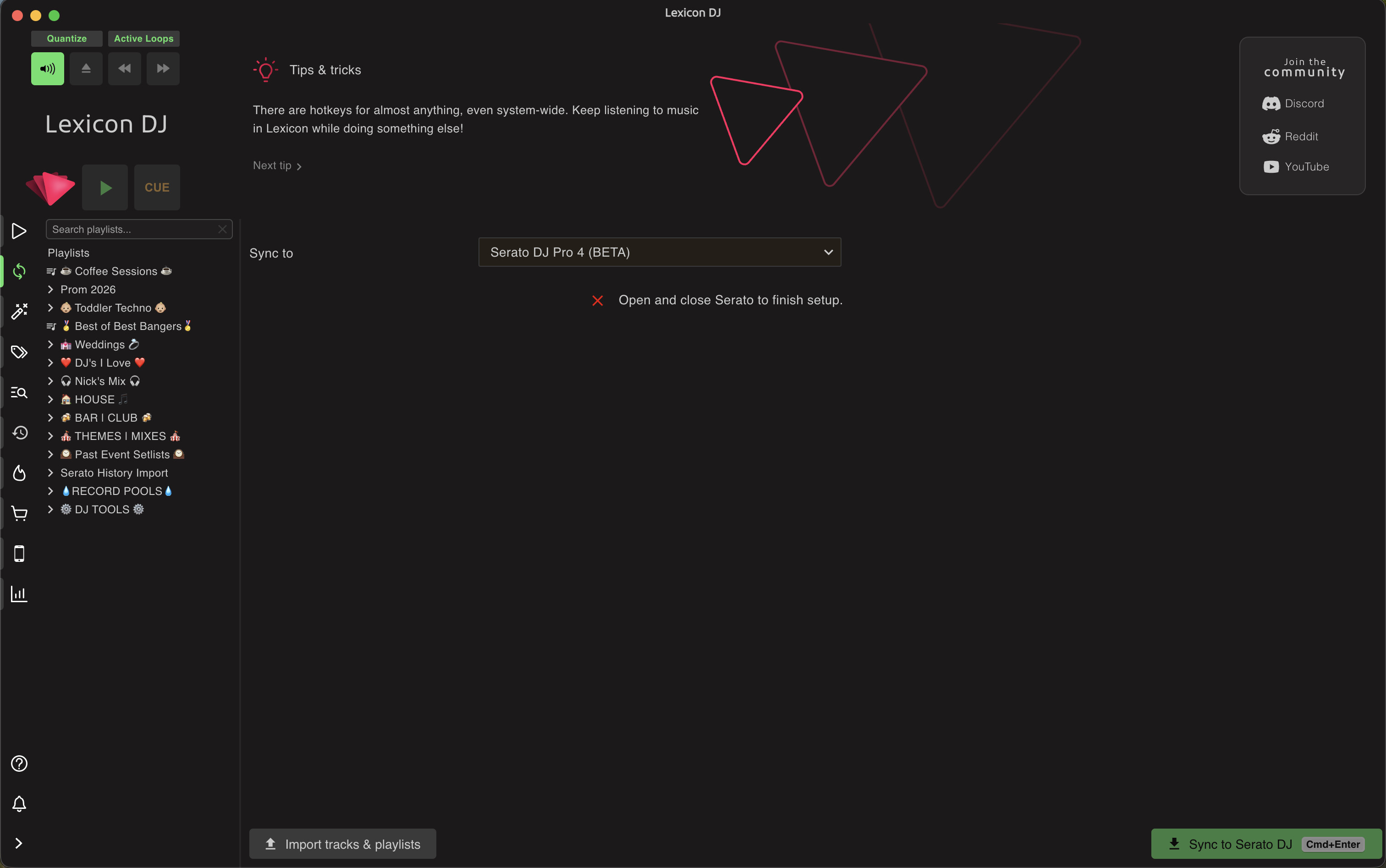
I’ve tried syncing with newest Lexicon version and it’s not doing anything, after sync there are no files in ‘subcrates’ folder like it can’t save files in ‘serato’ for some reason…
Did you try the version 3 sync? After doing that my Serato is fixed along with my crates.